
The Foundation of Email Deliverability in Modern Email Marketing
If you rely on email marketing to drive revenue, engagement, and customer retention, there is a technical foundation you cannot afford to ignore: SPF, DKIM, and DMARC.
These three email authentication protocols determine whether your emails reach the inbox, land in spam, or get rejected entirely. They are not optional enhancements. They are core infrastructure.
And yet, many marketing teams treat them as a one-time IT setup—or worse, something they don’t fully understand.
This guide will break down what SPF, DKIM, and DMARC are, how they work, how they interact, and why they are critical to protecting your brand and improving deliverability.
Why Email Authentication Matters
Before diving into each protocol, it’s important to understand the problem they were created to solve.
Email was not originally designed with strong identity verification. In its early days, anyone could send a message that appeared to come from almost any domain. This opened the door to:
-
Spoofing (forging the sender’s identity)
-
Phishing attacks
-
Business email compromise (BEC)
-
Brand impersonation
-
Fraudulent marketing campaigns
As email became a primary communication and commerce channel, mailbox providers like Gmail, Microsoft, and Yahoo began implementing stricter authentication standards.
Today, if you send marketing emails without proper authentication, mailbox providers are far more likely to:
-
Route your emails to spam
-
Flag them as suspicious
-
Reject them outright
-
Reduce inbox placement over time
SPF, DKIM, and DMARC work together to verify that you are who you claim to be.
SPF: Sender Policy Framework
What SPF Does
SPF (Sender Policy Framework) is an email authentication method that specifies which mail servers are authorized to send email on behalf of your domain.
In simple terms, SPF answers this question:
Is this sending server allowed to send email for this domain?
When a receiving server (like Gmail) gets an email from your domain, it checks your SPF record in your DNS (Domain Name System). If the sending server is listed as authorized, the SPF check passes. If not, it fails.
How SPF Works
SPF is configured as a TXT record in your domain’s DNS settings.
A typical SPF record looks like this:
Let’s break that down:
-
v=spf1→ Specifies the SPF version. -
include:→ Lists authorized third-party senders. -
-all→ Indicates that only the listed senders are allowed.
If an email comes from a server not included in your SPF record, it fails authentication.
Why SPF Matters for Marketers
Most marketing teams use multiple sending platforms:
-
Email service providers (ESP)
-
CRM systems
-
Transactional email platforms
-
Customer support tools
-
Internal Google or Microsoft mail servers
Each of these must be included in your SPF record.
If you forget to authorize one platform, those emails may:
-
Fail SPF checks
-
Be marked as suspicious
-
Have reduced deliverability
However, SPF has limitations. It checks the sending server—but not the message content itself. It also doesn’t fully prevent spoofing on its own.
That’s where DKIM comes in.
DKIM: DomainKeys Identified Mail
What DKIM Does
DKIM adds a digital signature to your emails.
While SPF verifies the sending server, DKIM verifies that:
-
The email was authorized by the domain owner.
-
The content was not altered in transit.
It uses public-key cryptography to accomplish this.
How DKIM Works
When you enable DKIM with your email provider:
-
Your provider generates a pair of cryptographic keys:
-
A private key (kept secure on the sending server)
-
A public key (published in your DNS)
-
-
When an email is sent:
-
The private key creates a unique signature in the email header.
-
-
The receiving server:
-
Looks up your public key in DNS.
-
Uses it to verify the signature.
-
If the signature matches, the message passes DKIM authentication.
If the content was modified (even slightly), the signature breaks and authentication fails.
Why DKIM Matters for Email Marketing
DKIM protects your brand from content tampering and spoofing.
For example:
-
If a malicious actor tries to impersonate your domain,
-
Or if a message is altered during delivery,
DKIM helps mailbox providers detect that something is wrong.
It also strengthens your sender reputation. Providers like Gmail place increasing weight on DKIM alignment when evaluating whether to place emails in the inbox.
Unlike SPF, DKIM survives email forwarding. That makes it more robust in many real-world scenarios.
But SPF and DKIM alone still don’t tell mailbox providers what to do when authentication fails.
That’s the role of DMARC.
DMARC: Domain-based Message Authentication, Reporting & Conformance
What DMARC Does
DMARC builds on SPF and DKIM.
It answers two key questions:
-
Do SPF and/or DKIM align with the visible “From” domain?
-
What should the receiving server do if authentication fails?
It also provides reporting so domain owners can monitor authentication activity.
How DMARC Works
Like SPF, DMARC is published as a DNS TXT record.
A basic DMARC record looks like this:
Let’s break it down:
-
v=DMARC1→ Specifies the version. -
p=→ Defines the policy. -
rua=→ Specifies where reports are sent.
The policy (p=) can be set to one of three modes:
1. p=none
Monitoring mode.
Emails are not blocked, but reports are generated.
2. p=quarantine
Suspicious emails are sent to spam.
3. p=reject
Failing emails are rejected entirely.
The Concept of Alignment
DMARC introduces “alignment.”
Even if SPF or DKIM passes, DMARC checks whether:
-
The authenticated domain matches the visible “From” address domain.
This prevents attackers from passing authentication using a different domain while displaying yours in the From field.
Alignment is critical for brand protection.
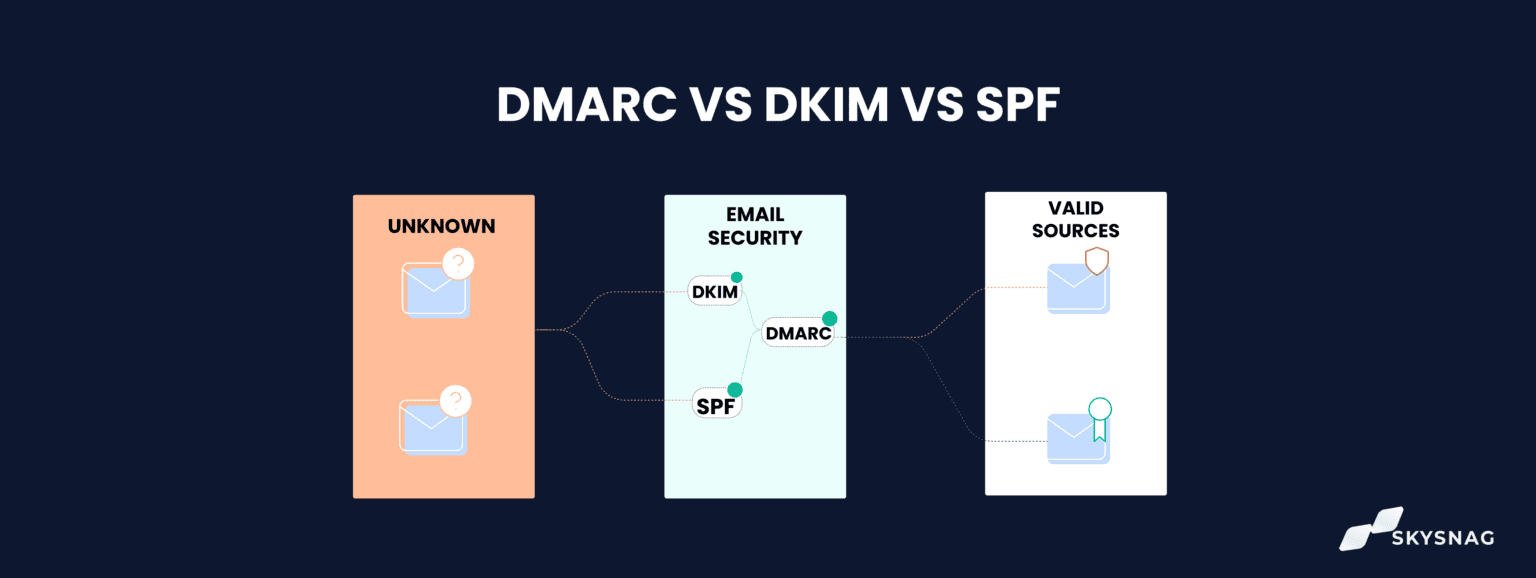
How SPF, DKIM, and DMARC Work Together
Think of them as a layered security system:
-
SPF verifies the sending server.
-
DKIM verifies message integrity and domain authorization.
-
DMARC enforces policy and ensures domain alignment.
When configured correctly:
-
An email is sent from an authorized server (SPF).
-
It carries a valid digital signature (DKIM).
-
The domain aligns and passes policy checks (DMARC).
-
Mailbox providers trust the message.
-
Inbox placement improves.
When misconfigured:
-
Authentication fails.
-
Messages are flagged.
-
Deliverability declines.
-
Brand impersonation becomes easier.
Why Authentication Is Now Mandatory for Email Marketers
In recent years, major mailbox providers have tightened requirements.
High-volume senders are increasingly expected to:
-
Publish SPF and DKIM records.
-
Implement DMARC.
-
Maintain low spam complaint rates.
-
Authenticate bulk mail consistently.
Failing to meet these expectations can lead to:
-
Blocked sends
-
Rate limiting
-
Spam folder placement
-
Domain reputation damage
Authentication is no longer a best practice. It is baseline compliance.
Business Benefits Beyond Security
Many marketers think of SPF, DKIM, and DMARC purely as security tools. But they also provide direct business benefits.
1. Improved Deliverability
Proper authentication builds trust with mailbox providers.
Higher trust → better inbox placement → more opens → more revenue.
2. Brand Protection
DMARC with a reject policy prevents attackers from spoofing your domain.
This protects:
-
Customers from phishing.
-
Employees from fraud.
-
Your brand reputation.
3. Visibility Through Reporting
DMARC reports show:
-
Who is sending email on your behalf.
-
Authentication pass/fail rates.
-
Potential unauthorized senders.
This insight is invaluable for large organizations with multiple systems.
Common Mistakes Marketers Make
Even when authentication is implemented, errors are common.
1. Multiple SPF Records
You can only have one SPF record per domain. Combining tools incorrectly can invalidate it.
2. SPF Record Too Long
SPF has a 10 DNS lookup limit. Too many includes can break validation.
3. DKIM Not Enabled on All Platforms
If one sending tool lacks DKIM, those emails may fail alignment.
4. Jumping to p=reject Too Quickly
DMARC should start in monitoring mode (p=none) to identify issues before enforcing stricter policies.
5. Ignoring Subdomains
Marketing teams often send from subdomains (e.g., news.yourdomain.com). These require proper configuration too.
Implementation Strategy for Email Marketing Teams
If you’re building or auditing authentication, follow this sequence:
Step 1: Inventory All Sending Sources
Identify every platform sending email using your domain.
Step 2: Configure SPF
Authorize all legitimate senders.
Avoid duplicate or conflicting records.
Step 3: Enable DKIM on Every Platform
Ensure signatures are active and aligned.
Step 4: Publish DMARC in Monitoring Mode
Start with p=none.
Review reports for several weeks.
Step 5: Move to Quarantine
If authentication is stable, upgrade to p=quarantine.
Step 6: Move to Reject
Once confident, enforce full protection with p=reject.
This gradual approach minimizes disruption.
The Revenue Connection
For email marketers, authentication is not just technical hygiene—it is revenue infrastructure.
Poor authentication leads to:
-
Lower inbox rates
-
Reduced engagement
-
Increased spam complaints
-
Damaged domain reputation
-
Lower ROI on campaigns
Strong authentication leads to:
-
Consistent inbox placement
-
Greater customer trust
-
Protection against phishing
-
Sustainable sender reputation
Over time, the difference in performance compounds.
SPF, DKIM, and DMARC are the backbone of modern email marketing.
SPF verifies who is allowed to send.
DKIM verifies message integrity.
DMARC enforces policy and protects your domain.
Together, they create a trusted sending environment that mailbox providers recognize and reward.
If email is a revenue channel for your business, authentication is not optional. It is foundational.
Investing in proper configuration, ongoing monitoring, and enforcement is one of the most impactful technical decisions you can make for long-term deliverability and brand protection.
In email marketing, trust determines placement. And authentication is how you prove you deserve it.
