
How to Research Website User Behavior
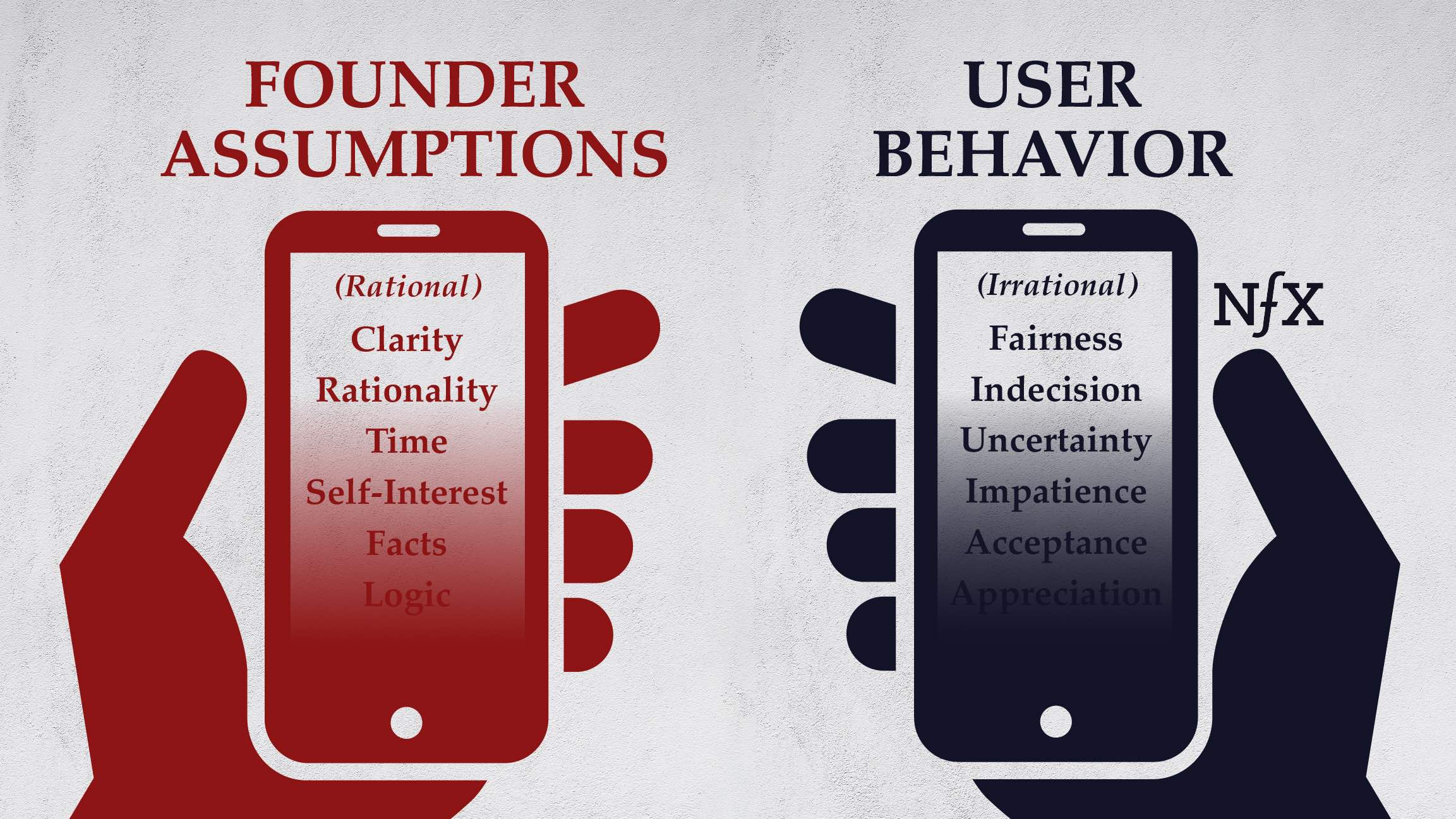
In the digital era, a website is more than a static information hub—it is a dynamic platform for engaging with users, generating leads, and driving business outcomes. But designing an effective website requires more than aesthetics or technical prowess; it requires a deep understanding of how users behave, interact, and make decisions online. Researching website user behavior is the key to uncovering actionable insights, improving user experience, and optimizing your site for engagement, retention, and conversions.
Website user behavior research encompasses a range of methods, from quantitative analytics to qualitative observation, and involves understanding the motivations, preferences, and challenges of your audience. This comprehensive article explores strategies, tools, and best practices for researching website user behavior, providing actionable insights for businesses and web designers.
Understanding Website User Behavior
Website user behavior refers to the actions, decisions, and patterns exhibited by visitors as they interact with a site. This includes how users navigate pages, engage with content, complete transactions, and respond to calls-to-action (CTAs). Understanding user behavior allows businesses to:
-
Improve navigation and usability.
-
Enhance content relevance and engagement.
-
Optimize conversions and sales.
-
Reduce bounce rates and increase retention.
-
Personalize user experiences.
User behavior research is both a science and an art. Quantitative data reveals what users do, while qualitative insights explain why they do it. Combining both approaches ensures a holistic understanding of your audience.
Step 1: Define Research Goals
Before analyzing user behavior, define clear research goals. This ensures that the data you collect is actionable and aligned with business objectives.
Common Research Goals:
-
Understand User Flow: Identify how users navigate your website and which paths lead to conversions.
-
Measure Engagement: Determine which pages, content types, or features generate the most interaction.
-
Identify Pain Points: Uncover barriers, frustrations, or obstacles preventing users from achieving goals.
-
Optimize Conversion Rates: Understand why users abandon carts, forms, or processes.
-
Personalize Experiences: Gather insights to deliver tailored content or recommendations.
Clearly defined goals guide the choice of research methods, data collection tools, and analysis strategies.
Step 2: Use Web Analytics Tools
Web analytics tools provide quantitative insights into user behavior. These tools track metrics, patterns, and interactions, helping you understand what users do on your site.
Key Metrics to Monitor:
-
Page Views: Indicates which pages attract the most traffic.
-
Session Duration: Measures how long users stay on your site.
-
Bounce Rate: Percentage of users leaving after viewing one page; highlights content or navigation issues.
-
Conversion Rate: Tracks how many users complete desired actions, such as purchases or form submissions.
-
Exit Pages: Identifies where users leave the site, revealing potential problem areas.
-
Click Paths: Shows the sequence of pages users visit.
Popular Analytics Tools:
-
Google Analytics: Provides comprehensive tracking of user behavior, traffic sources, and conversion data.
-
Hotjar: Offers heatmaps, session recordings, and user feedback tools.
-
Crazy Egg: Provides scroll maps, click maps, and A/B testing tools.
-
Mixpanel: Focuses on user engagement and retention tracking.
-
Adobe Analytics: Advanced analytics for enterprise-level websites.
Analytics tools reveal patterns and trends in user behavior, helping identify areas for improvement and optimization.
Step 3: Analyze User Flow and Navigation
Understanding how users move through your website is critical to improving usability and engagement.
Steps to Analyze Navigation:
-
Map User Journeys: Use analytics to track typical paths users take, from entry to exit. Identify popular paths and drop-off points.
-
Identify Bottlenecks: Look for pages where users get stuck, abandon the process, or fail to convert.
-
Optimize Menu Structure: Ensure menus, links, and navigation bars support intuitive exploration.
-
Test Breadcrumbs: Implement breadcrumb navigation to help users understand their location within the site.
A clear understanding of user flow allows designers to simplify navigation, reduce friction, and guide users toward desired actions.
Step 4: Conduct Heatmap Analysis
Heatmaps provide visual representations of where users click, scroll, or hover on your website. They help identify areas of interest, attention, and neglect.
Types of Heatmaps:
-
Click Heatmaps: Show which elements receive the most clicks.
-
Scroll Heatmaps: Reveal how far users scroll down pages.
-
Move/Mouse Heatmaps: Track cursor movement as a proxy for attention.
Benefits of Heatmaps:
-
Identify high-performing CTAs and content.
-
Detect areas of confusion or ignored elements.
-
Optimize page layout based on user attention.
-
Enhance usability by adjusting placement of buttons, forms, or visuals.
Heatmap analysis provides actionable insights into user engagement and interaction patterns.
Step 5: Conduct Session Recordings
Session recordings allow you to observe real user behavior in real time. This qualitative method complements analytics by revealing the "why" behind user actions.
Key Insights from Session Recordings:
-
Detect friction points in forms, navigation, or checkout processes.
-
Observe interactions with interactive content, videos, or media.
-
Identify repeated actions or patterns that indicate confusion.
-
Discover unexpected user behavior or innovative use cases.
Tools like Hotjar and FullStory enable session recording and playback, providing a window into user experience from the visitor’s perspective.
Step 6: Use Surveys and Feedback Forms
Direct user feedback is invaluable for understanding motivations, preferences, and frustrations. Surveys and forms provide qualitative insights that analytics cannot capture.
Effective Feedback Techniques:
-
Exit-Intent Surveys: Trigger surveys when users attempt to leave the site.
-
Embedded Feedback Forms: Offer forms on pages to capture immediate reactions.
-
Net Promoter Score (NPS): Measures user satisfaction and likelihood to recommend your site.
-
Targeted Questionnaires: Ask specific questions about user experience, content clarity, or usability.
Collecting feedback directly from users helps validate assumptions, uncover hidden pain points, and guide design improvements.
Step 7: Conduct A/B Testing
A/B testing compares two versions of a page or element to determine which performs better with users. It allows data-driven decisions to improve engagement, conversions, and overall user experience.
Steps for A/B Testing:
-
Identify the element to test (headline, CTA, form layout, image).
-
Create two versions: the original (control) and a variation.
-
Split traffic evenly between versions.
-
Measure performance metrics (clicks, conversions, engagement).
-
Implement the winning version and iterate further.
A/B testing enables continuous optimization, ensuring your website evolves in response to user behavior.
Step 8: Implement User Segmentation
Not all users behave the same way. Segmenting users based on demographics, behavior, or source provides more granular insights.
Common Segmentation Criteria:
-
Demographics: Age, gender, location, or language.
-
Traffic Source: Organic search, social media, paid ads, or referrals.
-
Behavioral Patterns: First-time visitors vs. returning users, frequent buyers, or inactive users.
-
Device Type: Desktop, tablet, or mobile.
Segmented analysis reveals differences in behavior across groups, enabling personalized experiences and targeted improvements.
Step 9: Conduct Usability Testing
Usability testing involves observing users as they complete tasks on your website. It identifies design flaws, confusion, and barriers to success.
Usability Testing Approaches:
-
Moderated Testing: A facilitator guides users through tasks, observing behavior and asking questions.
-
Unmoderated Testing: Users complete tasks independently while interactions are recorded.
-
Remote Testing: Conduct testing online with participants in different locations.
-
Prototype Testing: Test early designs or mockups before full development.
Usability testing uncovers issues that analytics alone cannot detect, ensuring your website meets user needs effectively.
Step 10: Analyze Conversion Funnels
Conversion funnels track the steps users take toward completing a goal, such as making a purchase or submitting a form. Funnel analysis highlights drop-off points and inefficiencies.
Steps for Funnel Analysis:
-
Define the desired conversion path.
-
Use analytics tools to monitor user progression through each step.
-
Identify stages with high abandonment rates.
-
Implement changes to reduce friction, clarify instructions, or simplify forms.
-
Re-measure to evaluate improvements.
Funnel analysis directly informs optimization strategies, increasing conversion rates and improving user satisfaction.
Step 11: Monitor User Engagement Metrics
Engagement metrics provide a snapshot of how users interact with your website.
Key Metrics to Monitor:
-
Time on Page: Indicates interest in content.
-
Pages per Session: Measures depth of exploration.
-
Return Visits: Reflects loyalty and satisfaction.
-
Click-through Rate (CTR): Assesses effectiveness of links, buttons, or CTAs.
-
Form Completions: Evaluates usability and effectiveness of interactive elements.
Tracking engagement metrics over time allows for ongoing improvements and more precise understanding of user behavior.
Step 12: Leverage Behavioral Analytics Platforms
Behavioral analytics platforms combine multiple data sources to provide a holistic view of user interactions.
Benefits of Behavioral Analytics:
-
Understand user journeys across devices and sessions.
-
Identify patterns, anomalies, and high-value behaviors.
-
Segment users based on behavior rather than just demographics.
-
Predict future behavior and personalize experiences.
Tools such as Mixpanel, Heap, and Kissmetrics provide advanced insights for data-driven decision-making.
Step 13: Consider Eye-Tracking and Biometrics
For highly detailed behavioral research, eye-tracking and biometric studies reveal subconscious user responses.
Applications:
-
Eye-tracking: Measures where users look on a page, revealing attention hotspots.
-
Biometric Analysis: Monitors stress, excitement, or engagement through facial expressions or physiological signals.
-
Heatmaps with Eye Data: Combines attention tracking with click and scroll behavior for deeper insights.
While more advanced and resource-intensive, these methods can uncover nuanced behavioral patterns that inform design and content strategies.
Step 14: Synthesize Insights and Make Recommendations
Collecting data is only the first step. The true value comes from analyzing insights and applying them to improve your website.
Steps for Synthesis:
-
Combine Quantitative and Qualitative Data: Use analytics, heatmaps, surveys, and testing results together.
-
Identify Trends and Patterns: Look for recurring behaviors, frustrations, and successes.
-
Prioritize Findings: Focus on high-impact issues that affect engagement or conversions.
-
Develop Actionable Recommendations: Suggest design, content, or functionality changes based on evidence.
Synthesizing insights ensures research informs practical improvements that enhance the user experience.
Step 15: Implement Continuous Improvement
User behavior is dynamic. Continuous monitoring, testing, and iteration ensure your website evolves with audience needs.
Continuous Improvement Practices:
-
Schedule regular audits of analytics and engagement metrics.
-
Iterate on content, design, and interactivity based on user feedback.
-
Test new features, layouts, or navigation approaches.
-
Track the impact of changes on key metrics to measure success.
A culture of ongoing optimization ensures your website remains user-focused, efficient, and competitive.
Engaging, Usable, and Effective
Researching website user behavior is critical for creating websites that are engaging, usable, and effective. Understanding what users do, why they do it, and how they interact with your website provides actionable insights that inform design, content, and functionality improvements.
Key strategies include:
-
Defining clear research goals to guide data collection.
-
Leveraging web analytics tools for quantitative insights.
-
Analyzing user flow, navigation, and conversion funnels.
-
Using heatmaps, session recordings, and usability testing for qualitative insights.
-
Conducting surveys, polls, and feedback forms to gather user perspectives.
-
Implementing A/B testing and personalization to optimize engagement.
-
Monitoring engagement metrics and user segments for nuanced understanding.
-
Considering advanced methods like eye-tracking and biometric analysis for deeper insights.
-
Synthesizing findings and implementing actionable recommendations.
-
Committing to continuous improvement to adapt to evolving user needs.
By researching user behavior comprehensively, businesses can design websites that are intuitive, engaging, and tailored to audience needs. This not only enhances user satisfaction but also drives conversions, retention, and long-term success.
Understanding your users is not a one-time effort—it is an ongoing process of observation, analysis, testing, and iteration. Businesses that invest in studying and responding to user behavior create websites that are not only functional but also engaging, memorable, and effective in achieving business goals.
A deep understanding of website user behavior transforms your digital presence from a static platform into a responsive, user-centered experience. In a competitive online environment, this insight-driven approach is essential for building a website that resonates with users and delivers measurable business value.
