
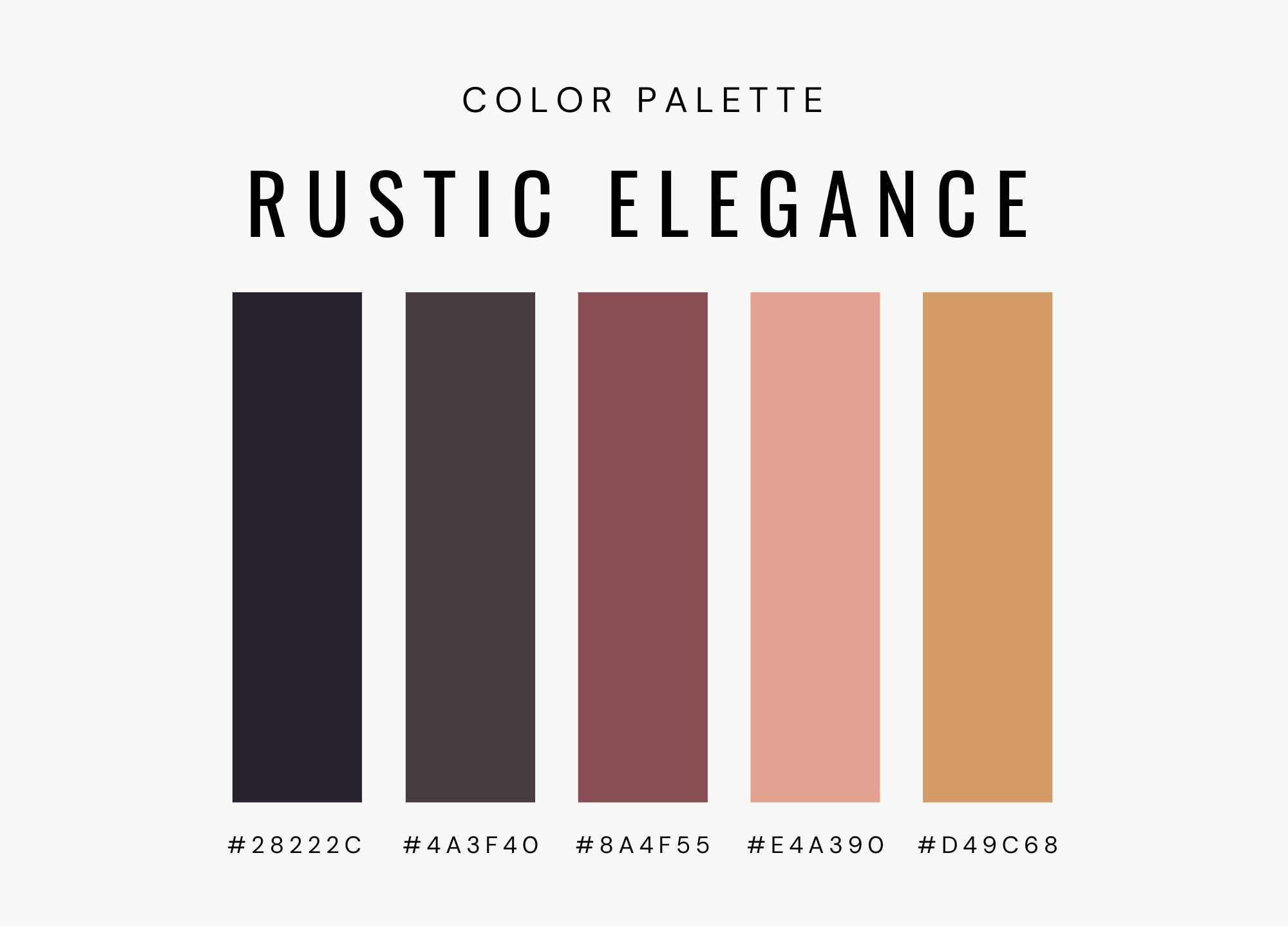
Building a Website Using Limited Color Palettes
Color is one of the most powerful tools in web design. It influences perception, guides user behavior, communicates brand identity, and shapes emotional responses. Yet one of the most effective design strategies is not adding more color—but limiting it.
A limited color palette brings focus, cohesion, and sophistication to a website. Rather than overwhelming users with visual noise, a restrained palette creates clarity and intentionality. Many of the world’s most recognizable brands rely on minimal color systems to build strong visual identities and consistent user experiences.
This article explores why limited color palettes work, how to create one, practical implementation techniques, accessibility considerations, branding strategy, and best practices for building visually compelling websites using fewer colors.
Why Use a Limited Color Palette?
Using fewer colors does not mean reducing creativity. In fact, constraints often enhance design quality.
A limited palette helps:
-
Strengthen brand recognition
-
Improve visual hierarchy
-
Reduce cognitive overload
-
Simplify development
-
Enhance accessibility
-
Create a modern aesthetic
Overuse of color can make interfaces feel chaotic and unprofessional. Limiting colors ensures that each one serves a purpose.
The Psychology of Simplicity
Human attention is finite. When users land on a website, they scan for structure and meaning. Too many colors compete for attention, reducing clarity.
Minimal color systems create:
-
Strong focal points
-
Clear calls to action
-
Consistent navigation cues
-
A calm visual experience
Companies like Apple have long embraced restrained palettes, often combining neutral tones with a single accent color. This approach communicates elegance and confidence.
What Is a Limited Color Palette?
A limited palette typically includes:
-
One primary color
-
One secondary or accent color
-
Neutrals (white, gray, black variations)
Some designs use monochromatic systems (multiple shades of one color), while others rely on complementary or analogous color schemes.
The key is intentional limitation—every color must have a defined role.
Step 1: Define Your Brand Foundation
Before selecting colors, clarify your brand identity.
Ask:
-
What emotions should the brand evoke?
-
Who is the target audience?
-
Is the tone formal, playful, bold, or minimal?
-
What industry conventions exist?
For example, tech companies often favor blues for trust and reliability, while eco-focused brands lean toward greens.
Your limited palette must align with your brand narrative.
Step 2: Choose a Primary Color
Your primary color is the dominant visual anchor of your website.
It may appear in:
-
Logos
-
Navigation elements
-
Headings
-
Call-to-action buttons
-
Icons
Choose a color that:
-
Reflects brand personality
-
Maintains readability
-
Works across digital and print formats
A strong primary color creates immediate recognition.
Step 3: Select a Supporting Accent Color
Accent colors draw attention to specific elements such as:
-
Buttons
-
Links
-
Notifications
-
Highlights
In a limited palette system, the accent color is used sparingly. Its power comes from contrast.
Avoid adding multiple accent colors. One well-chosen accent is usually enough.
Step 4: Establish Neutral Foundations
Neutrals are critical in limited color design.
Common neutrals include:
-
White
-
Off-white
-
Light gray
-
Charcoal
-
Black
Neutrals create breathing space and balance. They allow primary and accent colors to stand out without overwhelming the layout.
Many modern designs use large areas of white space to emphasize simplicity and clarity.
Monochromatic Design Approach
Monochromatic design uses various shades and tints of a single hue.
Benefits include:
-
Strong visual cohesion
-
Simplified decision-making
-
Reduced risk of clashing colors
-
Clean, modern aesthetic
For example, using multiple shades of blue—from light backgrounds to dark headings—creates depth without introducing new hues.
This approach is especially effective for professional service websites and portfolios.
The Role of Contrast
Limited palettes rely heavily on contrast to maintain visual hierarchy.
Contrast can be created through:
-
Light vs. dark shades
-
Saturated vs. muted tones
-
Bold vs. neutral elements
Contrast ensures that calls to action are noticeable even within a restrained system.
Without sufficient contrast, a minimal palette can appear flat.
Accessibility Considerations
Accessibility is critical in web design. Limited palettes must meet contrast standards to ensure readability.
Best practices:
-
Maintain strong contrast between text and background
-
Avoid relying solely on color to convey meaning
-
Test with color blindness simulators
-
Follow WCAG guidelines
Minimal color systems often make accessibility easier because fewer combinations need validation.
Visual Hierarchy Through Color
Color guides user behavior.
In a limited palette:
-
Primary color: defines structure
-
Accent color: signals action
-
Neutrals: create balance
When used consistently, users quickly understand what to click, read, or ignore.
For example:
-
Buttons always use the accent color
-
Links use a darker shade of the primary color
-
Backgrounds remain neutral
Consistency builds usability.
Creating Emotional Impact with Fewer Colors
Fewer colors can amplify emotional intensity.
A bold red accent on a neutral layout feels powerful. A soft pastel accent feels calming.
Luxury brands often rely on black, white, and one metallic accent. Minimalism conveys confidence.
Even digital platforms like Instagram, despite its colorful logo, use mostly neutral backgrounds in its interface to emphasize content rather than UI elements.
The key lesson: color supports content—it should not compete with it.
Using Gradients in Limited Palettes
Gradients can expand a limited palette without introducing new colors.
By blending shades of the same hue, designers create depth and dimension.
For example:
-
A dark-to-light blue gradient
-
A soft monochromatic background transition
Gradients maintain cohesion while adding visual interest.
However, gradients should be subtle to preserve minimalism.
Implementation in CSS
Developers can simplify color management by defining variables in CSS.
Example structure:
-
--primary-color
-
--accent-color
-
--neutral-light
-
--neutral-dark
Using variables:
-
Ensures consistency
-
Simplifies updates
-
Reduces maintenance effort
When changes are needed, updating a single variable updates the entire site.
Reducing Development Complexity
Limited color palettes simplify development.
Fewer colors mean:
-
Fewer style variations
-
Easier theme management
-
Reduced design debates
-
Faster testing
Designers and developers spend less time adjusting visual inconsistencies.
This efficiency aligns well with streamlined frameworks such as Bootstrap, which allows easy theme customization using minimal color overrides.
Avoiding Common Mistakes
1. Overusing Accent Colors
Accent colors lose impact if used everywhere.
Reserve them for calls to action or key highlights.
2. Ignoring Contrast
Minimal does not mean low contrast.
Ensure text remains readable in all lighting conditions.
3. Making Everything Neutral
Too much neutrality can make a website feel dull.
Balance minimalism with personality.
4. Inconsistent Application
If buttons use one shade in one section and another elsewhere, visual confusion arises.
Consistency reinforces usability.
Adapting Limited Palettes for Dark Mode
Dark mode has become standard in modern interfaces.
When designing limited palettes:
-
Invert neutrals carefully
-
Adjust accent brightness
-
Maintain readability
-
Test contrast thoroughly
Dark backgrounds with vibrant accent colors can create striking designs while maintaining simplicity.
Case Study Inspiration
Companies like Nike frequently use black, white, and a bold accent to create impactful digital experiences.
Their websites often rely on:
-
Strong typography
-
High-contrast imagery
-
Minimal UI distractions
This reinforces brand strength while keeping navigation clear.
Color and Conversion Optimization
Color influences user behavior.
In limited palettes:
-
Accent colors draw attention to primary calls to action
-
Neutral backgrounds reduce distractions
-
Clear contrast improves readability
When strategically applied, limited colors can increase conversion rates by guiding focus precisely where needed.
A clean, focused interface reduces friction in decision-making.
Testing Your Palette
Before launching:
-
View the site on multiple devices
-
Test in bright and low-light environments
-
Validate accessibility standards
-
Gather user feedback
Small adjustments in saturation or brightness can dramatically improve usability.
Balancing Creativity and Constraint
Constraints fuel creativity.
With fewer colors available, designers must rely more on:
-
Typography
-
Layout
-
Spacing
-
Imagery
-
Animation
A limited palette shifts emphasis toward structural design quality rather than decorative color.
This often results in more sophisticated outcomes.
Long-Term Brand Consistency
A limited palette strengthens brand identity over time.
Consistency across:
-
Website
-
Social media
-
Email marketing
-
Advertising
-
Print materials
creates familiarity and trust.
Recognizable color systems increase memorability and professionalism.
The Minimalist Advantage
Minimal color design aligns with modern aesthetics. It feels intentional, premium, and focused.
In crowded digital environments, simplicity stands out.
Users appreciate clarity.
When color is used sparingly and strategically, it becomes more powerful.
Precision
Building a website using a limited color palette is not about restriction—it is about precision. By defining a clear primary color, selecting a purposeful accent, and grounding the design in neutral tones, you create visual harmony and stronger brand recognition.
Companies like Apple and Nike demonstrate that simplicity can be both powerful and memorable. Through thoughtful contrast, accessible design practices, consistent application, and strategic emphasis, limited color systems produce elegant and effective digital experiences.
Ultimately, fewer colors mean fewer distractions. With clarity comes confidence—and with confidence comes stronger user engagement.
In web design, sometimes less truly is more.
