
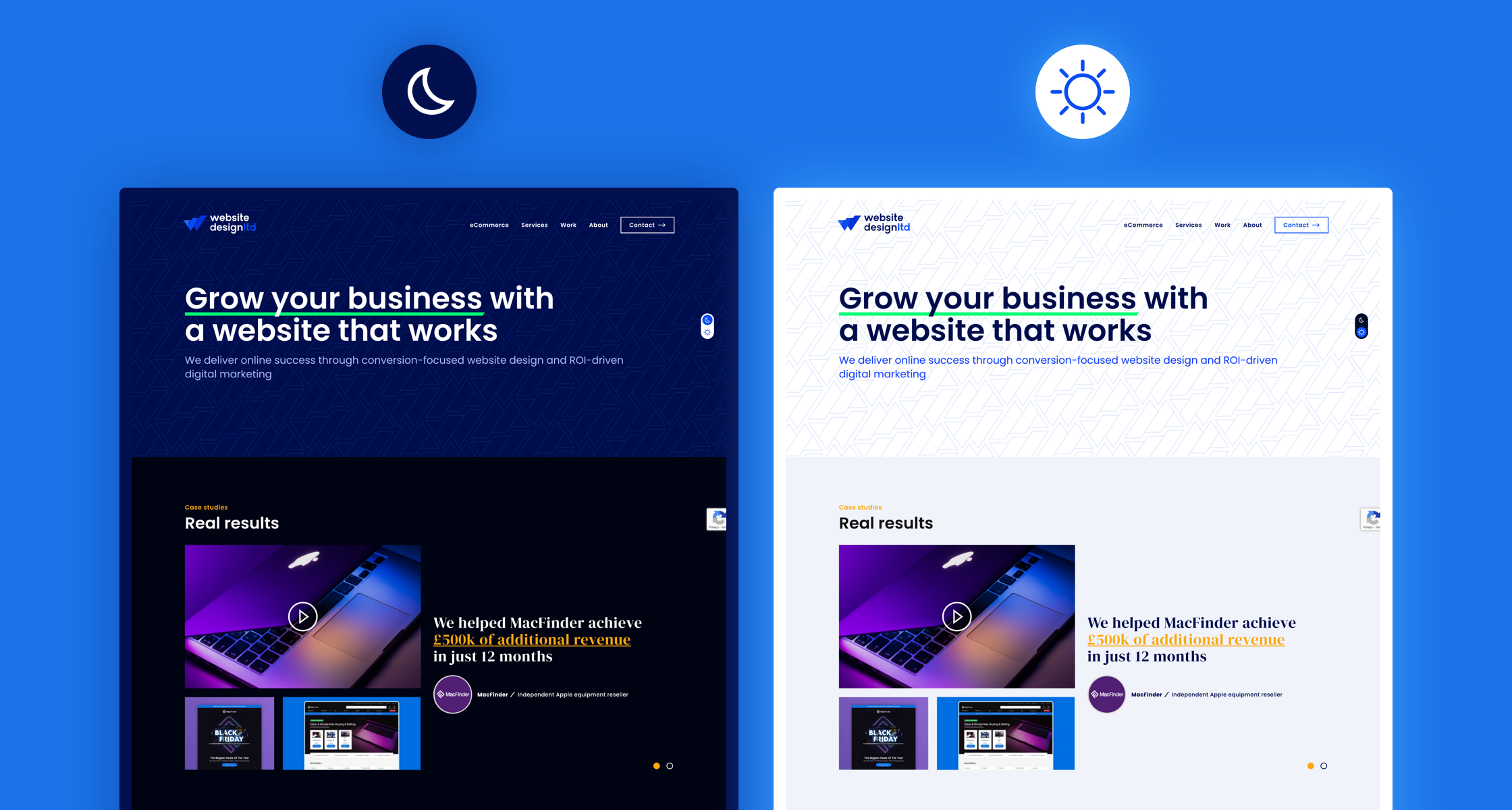
Integrating Dark Mode
In recent years, dark mode has emerged as a popular feature across websites, applications, and operating systems. From social media platforms to productivity tools, users increasingly prefer interfaces that switch from bright, light backgrounds to darker tones. While often associated with user preference and aesthetics, dark mode offers tangible advantages for businesses as well. Integrating dark mode into your business website can improve user experience, accessibility, energy efficiency, and brand perception. This article explores the benefits of dark mode and why implementing it should be a strategic consideration for your website.
Understanding Dark Mode
Dark mode refers to a user interface design where the primary background color is dark, often black or dark gray, while text and key elements are displayed in lighter colors. In contrast, traditional "light mode" features dark text on a light background. Dark mode has grown in popularity due to its visual appeal, user comfort, and the perception of modernity in digital design.
While it may appear to be primarily a cosmetic choice, dark mode influences usability, accessibility, and engagement. Many major platforms, including Apple, Google, and Microsoft, have adopted dark mode as a standard option, signaling its importance in contemporary UX design.
1. Enhances User Comfort and Reduces Eye Strain
One of the most significant benefits of dark mode is its potential to reduce eye strain, especially in low-light environments. Bright screens with white backgrounds can cause glare and discomfort, particularly during extended periods of browsing. Dark mode mitigates these issues by reducing luminance, which can ease visual fatigue.
-
Low-light browsing: Users accessing your site in the evening or in dimly lit environments experience less discomfort.
-
Extended engagement: Reduced eye strain encourages longer browsing sessions, which can increase the likelihood of conversions or content consumption.
-
Inclusive UX: Users with light sensitivity or conditions such as photophobia benefit from the option to switch to dark mode.
By enhancing comfort, dark mode can improve user satisfaction and loyalty, giving visitors a positive impression of your brand.
2. Improves Accessibility
Accessibility is an essential component of user-centered design, and dark mode can contribute to a more inclusive website. Users with visual impairments, dyslexia, or other cognitive conditions may find dark mode easier to read and navigate.
-
Contrast enhancement: When implemented with sufficient contrast between text and background, dark mode can improve readability for users with low vision.
-
Alternative reading option: Offering both light and dark modes allows users to choose the interface that works best for them.
-
Reduced flicker and glare: Some users are sensitive to bright colors or high-contrast white backgrounds, and dark mode helps reduce these triggers.
Providing a dark mode option aligns your website with accessibility best practices, demonstrating that your business values inclusivity.
3. Boosts Modern and Professional Brand Perception
Design trends significantly influence user perception of a brand. Dark mode has become associated with sleek, modern, and professional digital experiences. Integrating dark mode on your business website can help reinforce your brand image.
-
Contemporary appeal: Dark interfaces are often seen as stylish and cutting-edge, appealing to tech-savvy audiences.
-
Differentiation: Offering dark mode distinguishes your site from competitors who rely solely on traditional light designs.
-
Visual storytelling: Dark backgrounds can make certain visuals, like product images, illustrations, or multimedia, appear more vibrant and striking.
A modern interface signals to users that your business is innovative and attentive to current design trends, which can build trust and credibility.
4. Enhances Focus and Reduces Distractions
Dark mode can help users focus on the content or key elements of a website by reducing visual noise. Bright backgrounds can draw attention away from important information, while darker interfaces emphasize content and interactive elements.
-
Highlighting key elements: CTAs (calls-to-action), buttons, and product highlights stand out more effectively against a dark background.
-
Improved readability of multimedia: Images, charts, and videos often pop more vividly against dark backdrops, enhancing comprehension and engagement.
-
Minimized peripheral distractions: A darker interface can reduce visual clutter, helping users concentrate on tasks like filling forms, reading articles, or browsing products.
By improving focus, dark mode can support user actions that contribute directly to your business goals, such as conversions, subscriptions, or inquiries.
5. Reduces Energy Consumption
An often-overlooked benefit of dark mode is its potential to reduce energy usage, particularly on devices with OLED or AMOLED screens. On these screens, black pixels are turned off, consuming less power than white pixels.
-
Energy efficiency: For users accessing your site on mobile devices, dark mode can reduce battery consumption, extending device usage.
-
Environmental impact: Lower energy usage contributes to a smaller carbon footprint, aligning with sustainability initiatives.
-
User preference reinforcement: Tech-savvy users often choose dark mode to conserve battery life, making it a functional benefit in addition to aesthetics.
Providing dark mode can demonstrate your awareness of environmental concerns and user convenience.
6. Supports Customization and User Preference
Modern users expect control over their online experiences. Offering dark mode allows users to personalize the website interface to suit their preferences, creating a sense of empowerment.
-
Choice enhances engagement: Users are more likely to stay on a website that aligns with their preferred visual experience.
-
Cross-platform consistency: Many operating systems and devices now include system-wide dark mode settings. Allowing your website to respond to these preferences creates a seamless user experience.
-
Psychological comfort: Personalized interfaces can reduce stress and increase overall satisfaction with digital interactions.
Customization reinforces the notion that your business is attentive to individual needs, increasing user loyalty.
7. Complements Content and Visual Media
Dark mode can enhance the visual impact of your content and multimedia. For instance:
-
Product photography: Products with bright colors or reflective surfaces stand out better against dark backgrounds.
-
Graphics and infographics: Charts, illustrations, and data visualizations appear sharper and easier to interpret.
-
Videos: Dark mode emphasizes the brightness and detail of video content, creating a more cinematic effect.
By carefully designing your dark mode theme, you can make your content visually compelling and easier for users to engage with.
8. Encourages Innovative Design Approaches
Integrating dark mode encourages designers and developers to think creatively about contrast, typography, and layout. The transition from light to dark mode requires thoughtful design choices:
-
Typography adjustments: Fonts may need to be optimized for readability on darker backgrounds.
-
Color reconsideration: Brand colors, icons, and interactive elements must maintain visibility and aesthetic appeal.
-
UI refinement: Shadows, gradients, and visual hierarchy are often adapted to ensure clarity and consistency.
This process often results in a more polished, intentional design that benefits all users, regardless of the mode they choose.
Best Practices for Implementing Dark Mode
To maximize the benefits of dark mode, businesses should follow several best practices:
-
Offer a toggle: Allow users to switch between light and dark mode easily.
-
Respect system preferences: Detect device settings and default to the user’s preferred mode.
-
Maintain contrast and readability: Ensure text, buttons, and links remain legible.
-
Adapt brand colors: Use shades that maintain brand identity while remaining visible on dark backgrounds.
-
Test across devices: Ensure consistent performance and appearance across desktops, tablets, and smartphones.
Implementing dark mode thoughtfully ensures usability, brand alignment, and accessibility are maintained.
Beyond Aesthetics
Integrating dark mode on your business website offers a range of benefits that extend beyond aesthetics. It enhances user comfort and reduces eye strain, supports accessibility, strengthens brand perception, improves focus, and can even reduce energy consumption. Dark mode allows for personalized experiences, highlights content effectively, and encourages innovative design thinking.
By offering users the choice between light and dark modes, businesses demonstrate attentiveness to modern design trends, accessibility considerations, and individual preferences. When implemented with care, dark mode not only improves usability but also creates a visually engaging and professional interface that can increase user satisfaction, engagement, and loyalty.
In an increasingly competitive digital environment, dark mode is more than a design trend—it is a functional and strategic feature that can enhance the overall experience of your website visitors while supporting your brand’s objectives. Businesses that embrace dark mode can position themselves as modern, user-focused, and technologically forward-thinking, creating a digital presence that resonates with today’s audiences.
