
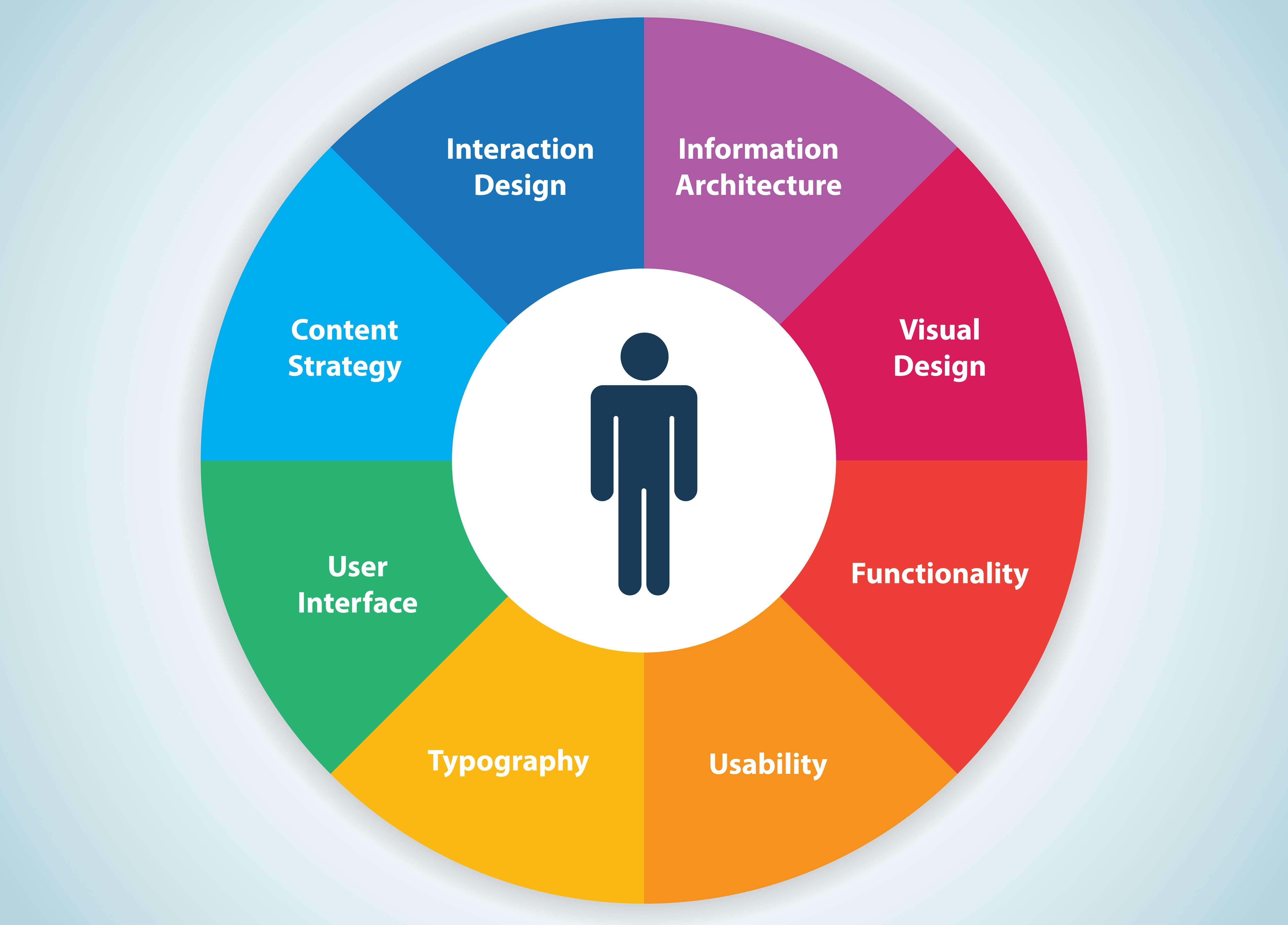
Improve User Experience
User experience (UX) is one of the most critical factors in determining the success of a website, app, or digital platform. It encompasses every interaction a user has with your online presence, including usability, accessibility, speed, design, content, and functionality. A positive UX keeps users engaged, increases conversion rates, fosters loyalty, and enhances brand perception. Conversely, poor UX drives visitors away, increases bounce rates, and reduces revenue potential.
This comprehensive guide will cover strategies, principles, and actionable steps for improving user experience online. From understanding your audience to implementing design, usability, accessibility, and performance enhancements, this article provides a roadmap for creating online experiences that delight users and achieve business goals.
Understanding User Experience
User experience is more than visual design; it is the cumulative experience of interacting with a website or digital platform. It includes emotional responses, usability, efficiency, accessibility, and satisfaction.
Key Elements of UX:
-
Usability: How easy it is for users to navigate and achieve their goals.
-
Accessibility: How well the platform accommodates users of all abilities.
-
Performance: Site speed, responsiveness, and reliability.
-
Visual Design: Aesthetics that support clarity and engagement.
-
Content Quality: Relevant, clear, and helpful information.
-
Interactivity: Smooth interactions that enhance engagement.
Understanding these components is the foundation for improving UX.
Step 1: Know Your Users
The first step in enhancing UX is understanding your audience. Without insights into users’ needs, preferences, and behavior, any design improvements may miss the mark.
Techniques for Understanding Users:
-
User Research: Conduct surveys, interviews, and focus groups to gather qualitative data.
-
Analytics: Use Google Analytics, Hotjar, or similar tools to track user behavior.
-
User Personas: Create detailed profiles representing typical users to guide design decisions.
-
Customer Feedback: Collect feedback through forms, reviews, and social media interactions.
By understanding users’ goals, pain points, and motivations, you can design experiences that meet expectations and solve real problems.
Step 2: Optimize Website Navigation
Navigation is the backbone of usability. Users should find what they need quickly and intuitively.
Best Practices:
-
Clear Structure: Use logical categories and subcategories.
-
Consistent Menus: Keep navigation consistent across pages.
-
Search Functionality: Implement a prominent search bar with predictive results.
-
Breadcrumbs: Help users understand their location within the site.
-
Limit Options: Too many choices can overwhelm; prioritize key pages.
A well-organized navigation system reduces friction and helps users achieve their goals efficiently.
Step 3: Improve Page Load Speed
Performance is a critical UX factor. Slow-loading pages frustrate users and increase bounce rates.
Techniques to Enhance Speed:
-
Optimize Images: Compress images without losing quality.
-
Minimize Code: Reduce CSS, JavaScript, and HTML size.
-
Use Caching: Implement browser and server-side caching.
-
Content Delivery Network (CDN): Serve content from servers near users.
-
Avoid Heavy Plugins: Limit third-party scripts that slow down pages.
Fast-loading pages enhance satisfaction and positively impact SEO, retention, and conversion rates.
Step 4: Make Design User-Friendly
Visual design plays a crucial role in UX by guiding attention, enhancing readability, and creating emotional appeal.
Design Principles for UX:
-
Consistency: Use consistent colors, fonts, and layouts.
-
Hierarchy: Prioritize elements based on importance using size, color, and placement.
-
Whitespace: Avoid clutter by giving elements breathing room.
-
Contrast: Ensure sufficient contrast for readability and accessibility.
-
Responsive Design: Adapt layouts for mobile, tablet, and desktop users.
Good design supports usability, reduces cognitive load, and creates a pleasant experience.
Step 5: Enhance Content Quality
Content is central to user experience. Users come to your website seeking information, solutions, or entertainment.
Tips for UX-Oriented Content:
-
Clarity: Write in plain, concise language.
-
Structure: Use headings, bullet points, and short paragraphs.
-
Relevance: Provide content that addresses user needs and queries.
-
Visuals: Use images, charts, and infographics to complement text.
-
Calls-to-Action (CTAs): Guide users to take desired actions with clear instructions.
High-quality content engages users, improves comprehension, and supports conversions.
Step 6: Ensure Accessibility
Accessibility ensures that all users, including those with disabilities, can interact with your website effectively.
Accessibility Best Practices:
-
Alt Text for Images: Describes images for screen readers.
-
Keyboard Navigation: Ensure all elements can be accessed without a mouse.
-
Color Contrast: Maintain high contrast for readability.
-
Semantic HTML: Use proper heading tags, lists, and labels.
-
Captions and Transcripts: Provide alternatives for multimedia content.
Accessible design broadens your audience and aligns with ethical and legal standards.
Step 7: Optimize Forms and Input Fields
Forms are often critical touchpoints for conversions, subscriptions, or inquiries.
Form UX Tips:
-
Minimize Fields: Only request essential information.
-
Inline Validation: Provide real-time feedback on errors.
-
Clear Labels: Avoid ambiguity; use concise field labels.
-
Progress Indicators: For multi-step forms, show progress.
-
Mobile Optimization: Make fields and buttons easy to use on touchscreens.
User-friendly forms reduce friction and increase form completions.
Step 8: Use Effective Call-to-Actions (CTAs)
CTAs are crucial for guiding users toward conversions.
CTA Best Practices:
-
Clarity: Tell users exactly what will happen (“Download Now,” “Get a Quote”).
-
Visibility: Use contrasting colors and prominent placement.
-
Urgency: Encourage immediate action with limited-time offers or incentives.
-
Placement: Position above the fold and repeat where relevant.
-
Testing: A/B test text, color, and placement for optimal performance.
Clear and compelling CTAs improve conversions while enhancing user satisfaction.
Step 9: Streamline Checkout and Conversion Processes
For e-commerce or subscription services, optimizing the conversion funnel is vital.
Tips for Improving Online Conversion UX:
-
Guest Checkout: Allow users to purchase without creating an account.
-
Progress Indicators: Show steps in the checkout process.
-
Autofill: Use browser autofill for addresses and payment information.
-
Transparency: Display shipping costs, taxes, and delivery time upfront.
-
Security Indicators: Use SSL certificates and display trust badges.
A smooth, transparent process reduces cart abandonment and builds trust.
Step 10: Improve Mobile UX
Mobile devices account for a significant portion of web traffic. Optimizing for mobile is essential.
Mobile UX Guidelines:
-
Responsive Design: Ensure content adapts to various screen sizes.
-
Readable Text: Use font sizes that are legible without zooming.
-
Touchable Elements: Buttons and links should be appropriately sized for fingers.
-
Minimal Pop-Ups: Avoid intrusive interstitials that hinder navigation.
-
Performance: Optimize images and code for faster mobile loading.
Mobile-friendly UX improves engagement, reduces bounce rates, and increases conversions.
Step 11: Enhance Interactivity and Feedback
Interactive elements improve engagement and provide feedback to users.
Tips for Interactive UX:
-
Hover Effects: Indicate clickable elements.
-
Progress Feedback: Show loading indicators for actions that take time.
-
Microinteractions: Use subtle animations to guide users and confirm actions.
-
Live Chat: Provide immediate support to resolve questions or issues.
Interactive feedback reassures users and creates a more engaging experience.
Step 12: Implement Personalization
Personalization tailors content and features to individual users.
Personalization Strategies:
-
Dynamic Content: Display recommendations based on past behavior.
-
Geolocation: Customize offers and information based on location.
-
Behavioral Targeting: Show relevant products, articles, or promotions.
-
User Accounts: Allow users to save preferences, carts, and history.
Personalized experiences increase engagement, loyalty, and conversion rates.
Step 13: Use Data and Analytics for UX Improvement
Monitoring and analyzing user behavior informs UX decisions.
Key Analytics Metrics:
-
Bounce Rate: High bounce rates may indicate poor UX or irrelevant content.
-
Session Duration: Longer sessions suggest engaging and usable content.
-
Conversion Rate: Tracks effectiveness of CTAs, forms, and funnels.
-
Heatmaps: Show where users click, scroll, and spend time.
-
User Flows: Reveal common navigation paths and points of friction.
Data-driven insights allow continuous UX optimization and refinement.
Step 14: Implement Accessibility Testing
Continuous testing ensures your website remains accessible and compliant.
-
Use tools like WAVE, axe, or Lighthouse to identify accessibility issues.
-
Test screen reader compatibility and keyboard navigation.
-
Conduct manual testing with real users, including those with disabilities.
-
Update accessibility as new content or features are added.
Regular testing ensures your website is inclusive and meets legal requirements.
Step 15: Reduce Cognitive Load
Cognitive load refers to the mental effort required to navigate a website.
Strategies to Reduce Cognitive Load:
-
Simplify Navigation: Avoid excessive options.
-
Consistent Layouts: Keep design patterns predictable.
-
Clear Visual Hierarchy: Guide attention to key elements.
-
Chunk Information: Break content into digestible sections.
-
Progressive Disclosure: Reveal information gradually as needed.
Lower cognitive load improves usability, retention, and satisfaction.
Step 16: Optimize Search Functionality
Search is essential for large websites or content-heavy platforms.
-
Autocomplete Suggestions: Reduce typing effort and guide users.
-
Filters and Sorting: Allow users to narrow results effectively.
-
Relevant Results: Prioritize results by relevance, popularity, or recency.
-
Error Tolerance: Handle typos and synonyms gracefully.
Effective search functionality speeds up task completion and improves UX.
Step 17: Provide Help and Support
Users often need assistance navigating a site or completing actions.
-
FAQs: Address common questions proactively.
-
Live Chat or Chatbots: Provide instant support.
-
Guides and Tutorials: Offer step-by-step instructions.
-
Contact Options: Make it easy to reach support via email or phone.
Accessible support reduces frustration and improves trust.
Step 18: Leverage User Testing
User testing reveals real-world challenges and opportunities.
-
Conduct usability testing with representative users.
-
Observe navigation, task completion, and problem areas.
-
Gather feedback through surveys, polls, or interviews.
-
Iterate based on insights and test improvements continuously.
Testing ensures design decisions align with actual user needs.
Step 19: Minimize Interruptions
Interruptive elements like pop-ups, auto-playing videos, and forced surveys can frustrate users.
-
Limit pop-ups and ensure they are easy to close.
-
Avoid autoplay media with sound.
-
Display mandatory forms or ads sparingly.
-
Ensure interruptions do not block core content or functionality.
Reducing interruptions keeps users focused on their goals and improves satisfaction.
Step 20: Foster Trust and Credibility
Trust impacts user behavior and engagement.
-
Display security badges for payments and logins.
-
Include clear privacy policies and terms of service.
-
Showcase testimonials, reviews, and case studies.
-
Maintain professional, consistent design and branding.
Trustworthy experiences increase conversions and user loyalty.
Step 21: Continuous Optimization
User experience is not a one-time project—it requires ongoing improvement.
-
Regularly review analytics and user feedback.
-
Test new layouts, features, and content strategies.
-
Keep up with UX best practices, trends, and technologies.
-
Monitor performance metrics to ensure consistent quality.
Continuous optimization ensures that your website evolves with user expectations and industry standards.
A Holistic Approach
Improving user experience online requires a holistic approach, combining usability, accessibility, performance, content, design, interactivity, personalization, and trust. Key strategies include:
-
Understanding your users and their goals.
-
Streamlining navigation and reducing cognitive load.
-
Optimizing performance and mobile responsiveness.
-
Providing high-quality, relevant content.
-
Designing clear, consistent visual and interactive elements.
-
Leveraging analytics, testing, and feedback for continuous improvement.
-
Ensuring accessibility and inclusivity for all users.
-
Enhancing trust, credibility, and engagement through support and social proof.
By addressing every touchpoint in the user journey, digital platforms can create experiences that delight users, foster loyalty, and achieve business objectives. A commitment to UX is an investment in long-term growth, higher conversions, and a stronger brand presence.
Consistently applying these principles ensures that users not only return but actively engage, share, and advocate for your online presence. In today’s competitive digital landscape, superior user experience is a key differentiator that can define success.
