
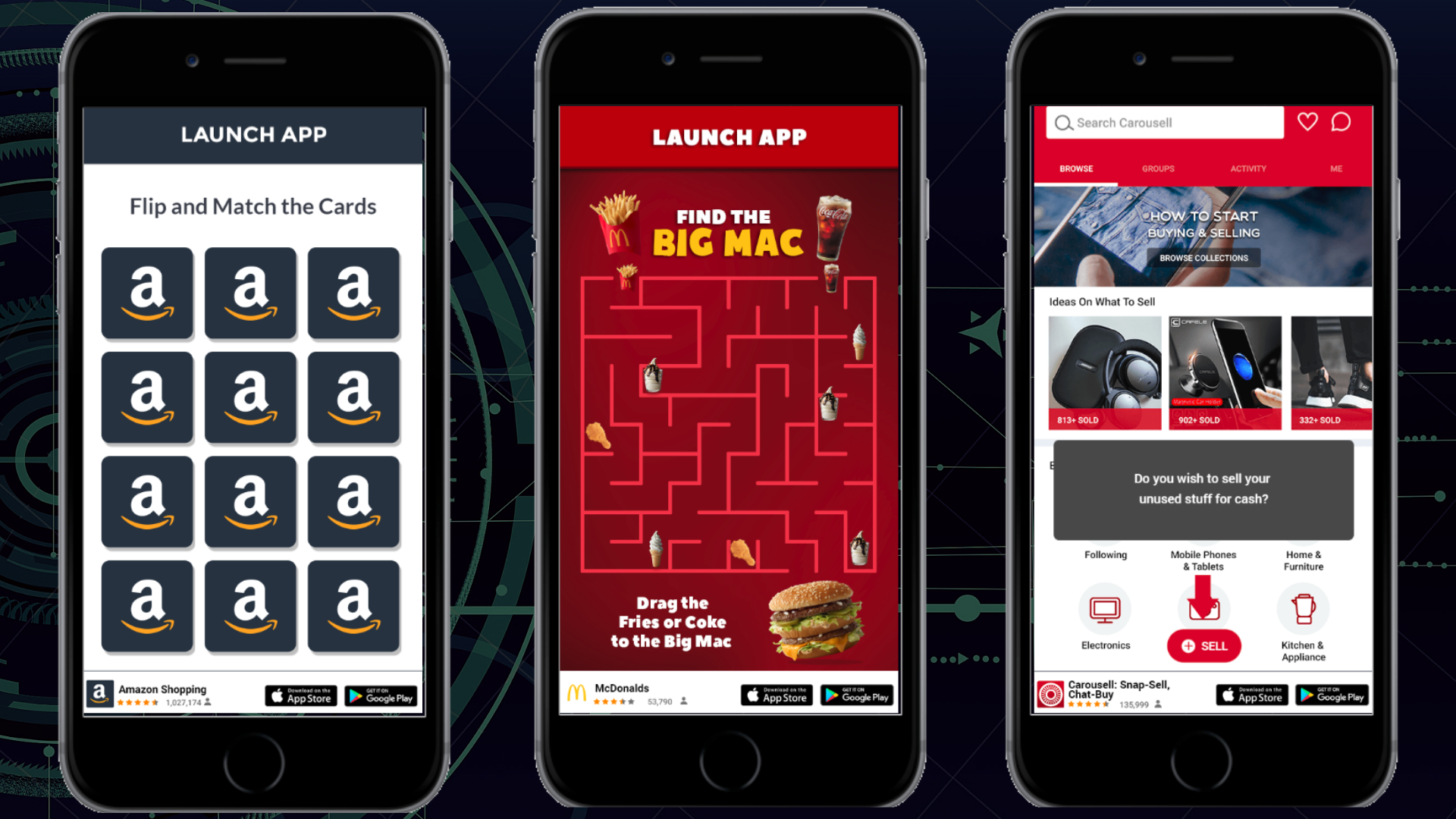
Building Apps For Long-term Retention
Designing a highly interactive app is no longer optional—it’s expected. Users today compare your product not only to direct competitors, but to the best digital experiences they’ve ever had. Whether they’re scrolling through Instagram, watching videos on TikTok, or collaborating in Slack, they’re accustomed to fluid animations, instant feedback, and responsive design.
To create an app that feels alive rather than static, you must intentionally design for interaction at every layer—visual, functional, emotional, and behavioral.
This guide explains how to design an app that is highly interactive, engaging, and built for long-term retention.
1. Start with User Intent, Not Features
Interactivity begins with understanding what users want to do—not what you want to build.
Ask:
-
What problems are they solving?
-
What actions will they repeat frequently?
-
What moments require feedback?
-
What emotional states are they in?
Highly interactive apps reduce friction between intention and action.
For example:
-
A fitness app must provide instant workout tracking feedback.
-
A finance app must give real-time transaction confirmations.
-
A messaging app must show typing indicators and read receipts.
Interaction design should revolve around behavior loops, not feature lists.
2. Prioritize Instant Feedback
Interactivity dies when users tap and nothing happens.
Every action should generate feedback:
-
Visual changes
-
Haptic vibration
-
Sound cues
-
Loading states
-
Progress indicators
Even micro-responses matter.
When a button is tapped:
-
It should change color immediately.
-
It should animate subtly.
-
It should confirm activation.
Platforms like Apple and Google emphasize immediate feedback in their design guidelines because perceived speed is often more important than actual speed.
Never leave users wondering whether the app registered their input.
3. Use Microinteractions Strategically
Microinteractions are small, purposeful animations or responses triggered by user actions.
Examples:
-
Pull-to-refresh animation
-
Swipe-to-delete motion
-
Toggle switch animation
-
Like button bounce
-
Progress bar filling
These interactions:
-
Increase perceived polish
-
Reinforce usability
-
Make actions satisfying
Microinteractions should:
-
Be fast (200–400ms)
-
Feel natural
-
Not distract from core tasks
Well-designed microinteractions create delight without overwhelming the interface.
4. Design for Touch, Not Just Screens
Mobile interactivity depends on physical gestures.
Incorporate:
-
Swipes
-
Long presses
-
Pinch-to-zoom
-
Drag-and-drop
-
Double taps
Gesture-based interaction reduces button clutter and increases immersion.
However, gestures must be discoverable. Provide:
-
Subtle onboarding hints
-
Tooltips
-
Visual affordances
If users don’t know an interaction exists, it might as well not exist.
5. Build Dynamic Content Systems
Static content feels lifeless. Dynamic content adapts to the user.
Examples:
-
Personalized recommendations
-
Real-time updates
-
Context-aware notifications
-
Location-based features
Apps like Spotify dynamically update playlists and recommendations based on listening habits. That continuous adaptation keeps engagement high.
To design dynamically:
-
Integrate behavioral analytics
-
Use conditional UI states
-
Prioritize real-time data syncing
The app should feel responsive to user behavior, not generic.
6. Embrace Gamification Carefully
Gamification increases interaction—but only when aligned with purpose.
Common gamification elements:
-
Points
-
Badges
-
Streaks
-
Progress bars
-
Leaderboards
For example, language apps like Duolingo use streaks and leveling systems to drive daily engagement.
However, gamification must:
-
Reinforce the app’s goal
-
Avoid manipulation
-
Not overshadow core value
Reward progress, not just activity.
7. Design Clear Interaction Hierarchies
Highly interactive apps still need structure.
Without clear hierarchy:
-
Users get overwhelmed.
-
Important actions are buried.
-
Navigation becomes confusing.
Create:
-
Primary actions (most important)
-
Secondary actions (supporting)
-
Hidden advanced actions (power users)
Use:
-
Size
-
Color
-
Motion
-
Placement
to visually guide interaction priorities.
A cluttered interface reduces interactivity because users hesitate when uncertain.
8. Optimize for Speed and Performance
Interactivity requires speed.
If animations stutter or content loads slowly:
-
The experience feels broken.
-
Users lose trust.
Performance strategies:
-
Minimize heavy scripts
-
Use lazy loading
-
Optimize images
-
Cache intelligently
-
Reduce unnecessary API calls
An interactive app should feel instant—even if backend processes take longer.
Perceived performance can be improved using skeleton screens and progressive loading.
9. Encourage Two-Way Interaction
Many apps are broadcast platforms. Highly interactive apps are conversational.
Examples:
-
Comments
-
Reactions
-
Polls
-
Messaging
-
User-generated content
Apps like Reddit thrive because users shape the content ecosystem.
To design for participation:
-
Make contributions easy
-
Reduce friction in posting
-
Offer quick reactions
-
Provide feedback loops
When users feel heard, engagement deepens.
10. Integrate Real-Time Features
Real-time systems amplify interactivity.
Examples:
-
Live chat
-
Real-time collaboration
-
Instant notifications
-
Live activity feeds
Collaboration tools like Figma allow multiple users to edit simultaneously. That synchronous interaction dramatically increases perceived engagement.
Real-time features require:
-
Reliable backend architecture
-
WebSocket or similar technologies
-
Scalable infrastructure
Technical stability is critical—real-time glitches erode trust quickly.
11. Use Motion to Guide Attention
Motion should:
-
Guide focus
-
Indicate transitions
-
Communicate cause and effect
For example:
-
A card expands smoothly into a detail view.
-
A menu slides in from the side.
-
Elements fade in as they load.
Motion clarifies spatial relationships.
Follow principles:
-
Natural easing curves
-
Consistent animation patterns
-
Avoid excessive duration
Motion should feel intentional—not decorative.
12. Design Onboarding as an Interactive Experience
Onboarding is often static—but it shouldn’t be.
Instead of long explanations:
-
Let users try features immediately.
-
Use guided walkthroughs.
-
Highlight interactive elements in context.
Progressive onboarding introduces features gradually as users encounter them.
Interactive onboarding increases retention significantly compared to passive tutorials.
13. Enable Customization
Users feel more engaged when they can shape the experience.
Offer:
-
Theme changes
-
Notification settings
-
Layout adjustments
-
Profile personalization
Customization enhances ownership.
When users tailor an interface, they invest psychologically in the product.
14. Use Data to Refine Interaction Design
Interactivity should evolve based on data.
Track:
-
Tap heatmaps
-
Gesture frequency
-
Drop-off points
-
Session duration
-
Feature usage rates
If users rarely interact with a feature:
-
It may be hard to find.
-
It may lack perceived value.
-
It may need redesign.
Data reveals friction invisible to designers.
15. Design for Emotional Engagement
Highly interactive apps evoke emotion.
Ask:
-
Does this interaction feel satisfying?
-
Does it reduce frustration?
-
Does it create delight?
Sound design, subtle animations, and thoughtful copywriting influence emotion.
Even small details—like a friendly error message—affect perception.
Emotion transforms functionality into experience.
16. Maintain Consistency Across Platforms
If your app runs on iOS, Android, and web, interactions must feel familiar yet platform-appropriate.
Respect platform conventions:
-
Navigation gestures
-
Button placement
-
System animations
Consistency reduces cognitive load.
Users should not relearn interaction rules on each device.
17. Balance Interactivity with Simplicity
More interactivity is not always better.
Avoid:
-
Excessive animations
-
Too many gestures
-
Constant notifications
-
Overstimulating visuals
Interactivity should enhance clarity—not compete for attention.
The goal is purposeful engagement.
Intentionality
Designing a highly interactive app requires intentionality at every layer:
-
Understand user intent.
-
Provide immediate feedback.
-
Use microinteractions thoughtfully.
-
Optimize performance.
-
Enable participation.
-
Personalize dynamically.
-
Test and iterate constantly.
The best interactive apps feel effortless.
They respond instantly.
They anticipate needs.
They reward exploration.
They adapt intelligently.
When users feel in control—and the app feels alive—you create not just usage, but habit.
In a world where attention is scarce and competition is fierce, highly interactive design is no longer a luxury.
It is the foundation of retention, loyalty, and long-term success.
