
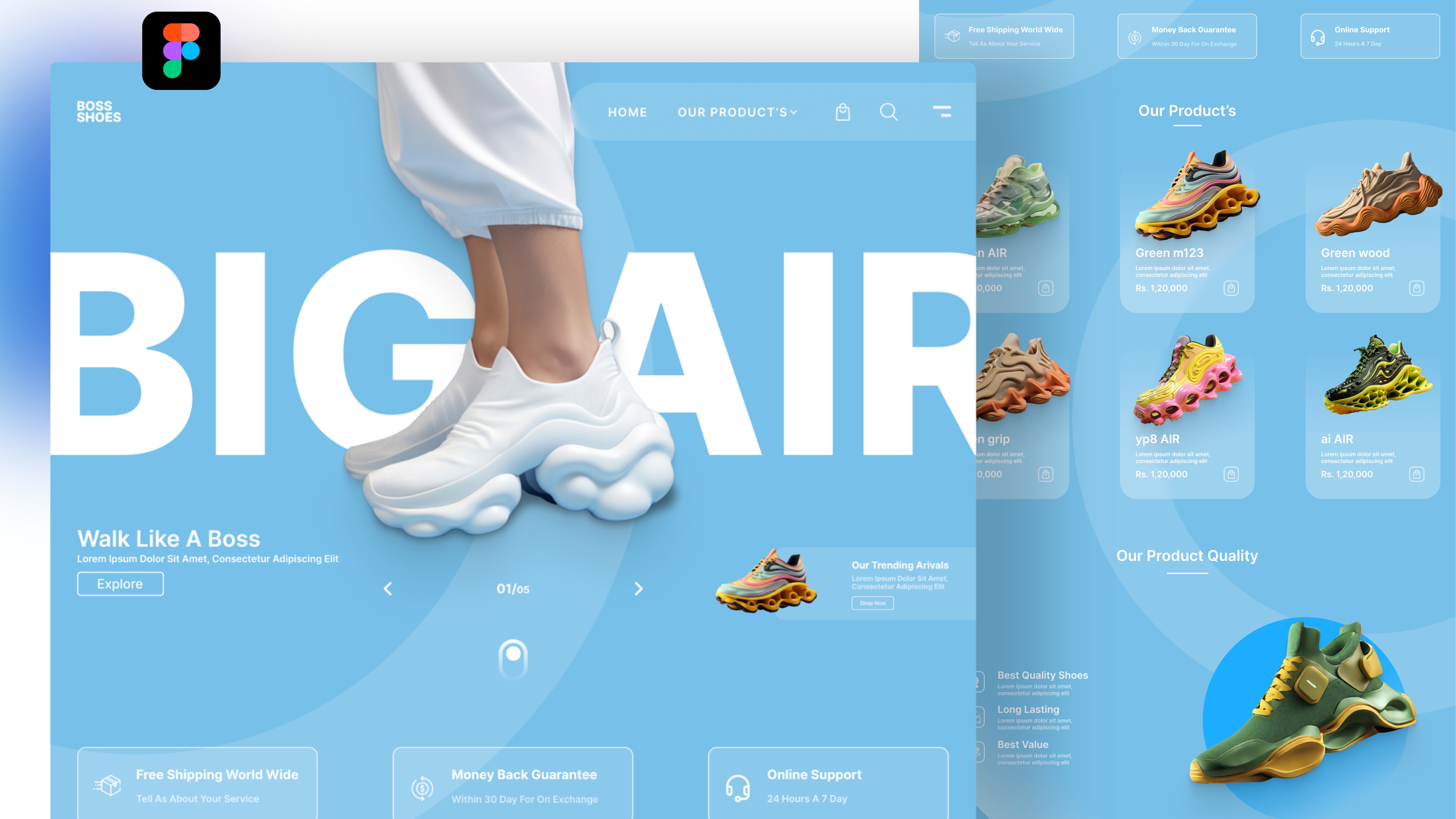
How to Build Interactive Websites
In today’s digital landscape, simply having a website is no longer enough. Users expect experiences that are not only informative but also engaging and interactive. An interactive website fosters deeper connections with visitors, encourages exploration, and drives user engagement. Interactivity can range from simple hover effects to complex personalized experiences, gamification, or real-time content updates.
Building an interactive website requires thoughtful design, technical implementation, and an understanding of user behavior. It involves combining visual design, user experience (UX) principles, responsive design, and dynamic content. This article explores strategies, best practices, and technical approaches to building interactive websites that captivate users and enhance engagement.
Understanding Website Interactivity
Website interactivity refers to features and design elements that allow users to engage actively rather than passively consume content. Interactivity enhances usability, encourages exploration, and increases retention. It is an essential element for modern websites, particularly those aiming to sell products, provide services, or engage audiences with content.
Types of interactivity include:
-
Navigation interactions: Hover effects, menus, scroll-triggered animations.
-
Forms and input fields: Dynamic forms, live validation, quizzes, and surveys.
-
Media interactions: Playable videos, sliders, galleries, and interactive infographics.
-
Gamification: Reward systems, progress trackers, or challenges.
-
Personalization: Content or recommendations tailored to user behavior.
By incorporating these elements, websites can create immersive experiences that keep users engaged and encourage repeated visits.
Step 1: Define Goals and Audience
Before building an interactive website, it is essential to understand why interactivity is needed and who your audience is.
Key Considerations:
-
Business objectives: Determine whether the website aims to increase engagement, drive sales, collect leads, or educate users.
-
User personas: Identify the demographics, interests, and needs of your target audience. Knowing your audience helps determine which interactive features will resonate most.
-
Content strategy: Decide what type of content—such as videos, quizzes, forms, or animations—will best achieve your goals.
Setting clear objectives ensures that interactivity is purposeful rather than purely decorative, enhancing both user experience and business outcomes.
Step 2: Prioritize User Experience
Interactivity should improve usability, not hinder it. Overly complex or unnecessary features can confuse users and increase bounce rates.
UX Best Practices for Interactive Websites:
-
Simplicity: Focus on intuitive navigation and minimalistic design. Users should easily understand how to interact with elements.
-
Feedback: Provide immediate responses to user actions, such as hover effects, loading indicators, or confirmation messages.
-
Accessibility: Ensure interactive elements are keyboard-friendly, screen reader-compatible, and accessible for users with disabilities.
-
Responsive Design: Interactive features should function seamlessly across devices and screen sizes.
A user-centered approach guarantees that interactive elements enhance engagement rather than frustrate users.
Step 3: Choose the Right Interactive Elements
Selecting appropriate interactive features depends on the website’s purpose and audience.
Popular Interactive Features:
-
Navigation Effects: Animated menus, hover effects, and sticky headers guide users while making browsing more engaging.
-
Forms and Quizzes: Dynamic forms with inline validation or interactive quizzes encourage user input and participation.
-
Media Elements: Image sliders, galleries, videos, and audio players make content more immersive.
-
Animations and Transitions: Scroll-triggered animations, parallax scrolling, and micro-interactions create a sense of motion and engagement.
-
Gamification: Leaderboards, reward badges, or progress bars encourage exploration and sustained interaction.
-
Personalization: Content recommendations, user dashboards, and interactive product configurators provide a tailored experience.
By choosing elements that align with user needs, you can ensure that interactivity enhances the website rather than overwhelming it.
Step 4: Focus on Visual Design
Visual design is critical in creating engaging and interactive experiences. It should guide attention, reinforce branding, and communicate function.
Visual Design Strategies:
-
Hierarchy: Use size, contrast, and spacing to indicate importance and guide users through interactions.
-
Color and Contrast: Ensure interactive elements stand out while maintaining brand identity and accessibility.
-
Typography: Clear, legible fonts enhance readability and make interactive content more approachable.
-
Consistency: Maintain a coherent visual language across interactive elements to prevent confusion.
Strong visual design supports interactivity by making it intuitive and visually appealing.
Step 5: Implement Animations Thoughtfully
Animations bring websites to life but must be implemented with intention. Poorly executed animations can slow performance and distract users.
Animation Best Practices:
-
Purposeful Animations: Use motion to guide attention, provide feedback, or create delight.
-
Subtlety: Avoid over-the-top effects that overwhelm users.
-
Performance Optimization: Compress assets, use CSS animations when possible, and minimize heavy JavaScript.
-
Timing and Easing: Smooth transitions create a natural, responsive feel.
Well-crafted animations enhance engagement and make the website feel dynamic and modern.
Step 6: Integrate Interactive Media
Multimedia elements encourage users to interact and explore content.
Tips for Interactive Media:
-
Videos: Embed autoplay or optional videos with interactive overlays, quizzes, or clickable CTAs.
-
Image Galleries: Allow users to zoom, swipe, or filter images for a richer experience.
-
Audio Elements: Podcasts, sound effects, or narrated guides can enrich storytelling.
-
Infographics: Make charts and data interactive, allowing users to hover or click to reveal details.
Interactive media keeps users engaged and can improve comprehension, retention, and satisfaction.
Step 7: Leverage Gamification
Gamification uses game mechanics to engage users and encourage desired behaviors.
Gamification Techniques:
-
Progress Tracking: Show users completion percentages for tutorials, forms, or challenges.
-
Rewards and Badges: Incentivize actions like sharing content, completing surveys, or exploring pages.
-
Leaderboards: Encourage competition or community engagement.
-
Challenges and Quizzes: Make learning or product exploration interactive and fun.
Gamification adds an element of excitement and accomplishment, strengthening user engagement and retention.
Step 8: Personalize the Experience
Personalization enhances engagement by making content relevant to individual users.
Personalization Approaches:
-
Dynamic Content: Display recommendations based on browsing history or preferences.
-
User Accounts: Allow users to save progress, preferences, or favorite items.
-
Geolocation Features: Provide content, offers, or recommendations tailored to user location.
-
Behavioral Triggers: Adjust CTAs or prompts based on actions, such as completing a form or watching a video.
Personalized experiences make users feel understood, building loyalty and increasing engagement.
Step 9: Optimize Performance
Interactivity should never compromise website speed. Slow-loading elements frustrate users and reduce engagement.
Performance Tips:
-
Minimize Heavy Scripts: Only include necessary JavaScript and CSS for interactive features.
-
Lazy Loading: Load media and interactive content as users scroll to reduce initial load times.
-
Caching and CDNs: Use caching strategies and content delivery networks to improve performance.
-
Optimize Images and Videos: Compress media without compromising quality.
High performance ensures that interactive elements function smoothly, maintaining a positive user experience.
Step 10: Test Interactivity and Usability
Testing ensures that interactive elements work as intended and resonate with users.
-
User Testing: Observe real users interacting with your website to identify pain points or confusion.
-
A/B Testing: Experiment with different interactive elements, layouts, or designs to see what drives engagement.
-
Analytics: Monitor click-through rates, form submissions, time on page, and bounce rates to evaluate success.
-
Accessibility Testing: Verify that interactions are accessible to all users, including those with disabilities.
Continuous testing ensures that your website remains engaging, functional, and user-friendly.
Step 11: Encourage User Feedback
User feedback provides valuable insights into how interactive features are received.
-
Surveys and Polls: Ask users about their experience with interactive elements.
-
Feedback Forms: Allow users to report bugs, frustrations, or suggestions.
-
Community Engagement: Encourage discussions or comments to understand user sentiment.
Feedback informs iterative improvements, ensuring that the website evolves to meet user needs.
Step 12: Maintain and Update Interactivity
Interactive websites require ongoing maintenance to remain effective and modern.
-
Update Features: Regularly refresh quizzes, media, or gamified elements to maintain engagement.
-
Monitor Technology Trends: Adopt new interactive technologies like WebGL, augmented reality, or AI-driven personalization.
-
Performance Audits: Continuously check load times, responsiveness, and usability.
-
Content Updates: Keep content dynamic, relevant, and aligned with evolving user interests.
Sustained maintenance ensures the website continues to deliver engaging experiences over time.
Step 13: Integrate Social and Sharing Features
Social interactivity extends engagement beyond your website and fosters community.
-
Share Buttons: Enable users to share content on social media platforms easily.
-
User-Generated Content: Feature reviews, testimonials, or uploaded images to create a participatory experience.
-
Community Features: Incorporate forums, discussion boards, or comment sections.
Social features encourage interaction, increase brand visibility, and strengthen emotional connection with your audience.
Experiences that Delight
Building an interactive website requires a careful balance between creativity, usability, and technology. Interactivity enhances user engagement, encourages exploration, and strengthens brand loyalty. By combining thoughtful design, dynamic content, gamification, personalization, and responsive media, businesses can create immersive experiences that delight users.
Key strategies for building interactive websites include:
-
Understanding your audience and setting clear objectives.
-
Prioritizing user experience and accessibility.
-
Choosing interactive elements aligned with goals and audience needs.
-
Designing visually appealing layouts with a strong hierarchy and intuitive navigation.
-
Incorporating purposeful animations and interactive media.
-
Leveraging gamification and personalization to increase engagement.
-
Optimizing performance to ensure smooth interactivity.
-
Testing, gathering feedback, and iterating continuously.
-
Integrating social and community-driven features.
-
Maintaining and updating interactive content to keep experiences fresh.
When executed effectively, interactive websites not only provide information but also engage, entertain, and connect with users on a deeper level. They transform passive visitors into active participants, increasing time on site, conversion rates, and customer loyalty.
In an era where attention spans are short and competition is high, interactivity is a powerful tool for creating memorable digital experiences. Businesses that invest in interactive design position themselves as modern, user-focused, and innovative, leaving a lasting impression on their audience.
By embracing interactivity, you can turn your website into a dynamic platform that engages users, builds relationships, and drives business growth.
